
Fundamentals of an effective company presentation
How to structure your core message
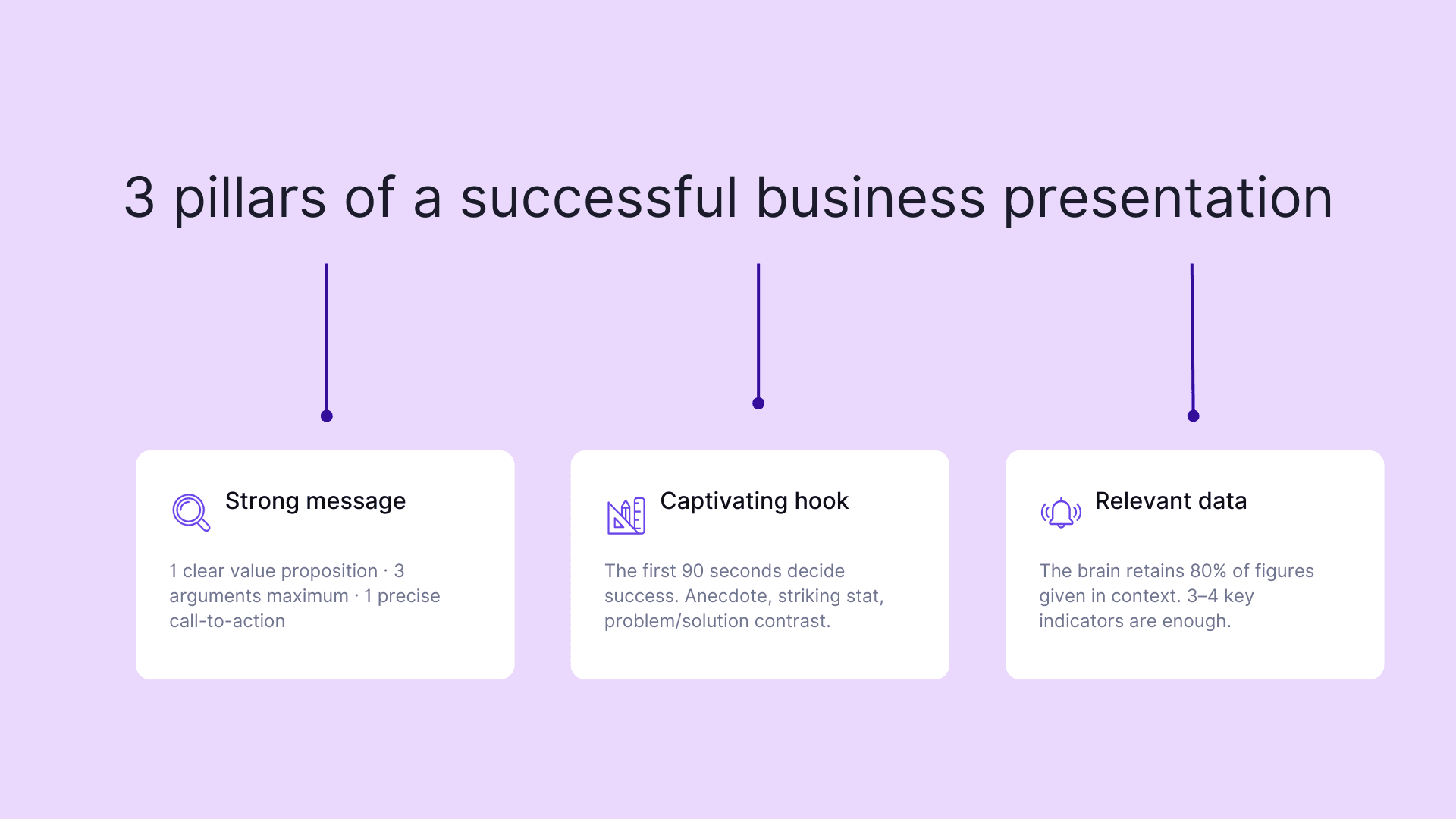
The success of a presentation begins with a strong central message. Start by identifying your unique value proposition: what solution do you bring to your target audience?
Then build your argument around three key points maximum to ensure optimal retention. A concrete example: a logistics company structuring its message around speed, reliability, and technological innovation.
To strengthen your presentation's impact:
- Adopt a clear narrative structure: problem, solution, benefits
- Support each argument with relevant data points
- End with a precise and engaging call to action
The consistency between your message and your audience's expectations will largely determine your presentation's success.
The art of capturing attention in the first few minutes
The first 90 seconds often determine the success of a professional presentation. A compelling hook transforms your audience into captivated listeners. Tell a striking anecdote related to your industry or share a surprising statistic that illustrates a business challenge.
The contrast technique naturally sparks interest. Present a common problematic situation before revealing your innovative solution. For example, a software company might start with: "Sales teams waste 4 hours per week on administrative tasks. Our solution automates these processes to free up that valuable time."
Vary your voice pace and use strategic silences to create suspense. Minimalist visual support reinforces the impact of your opening words.
Common mistakes to avoid
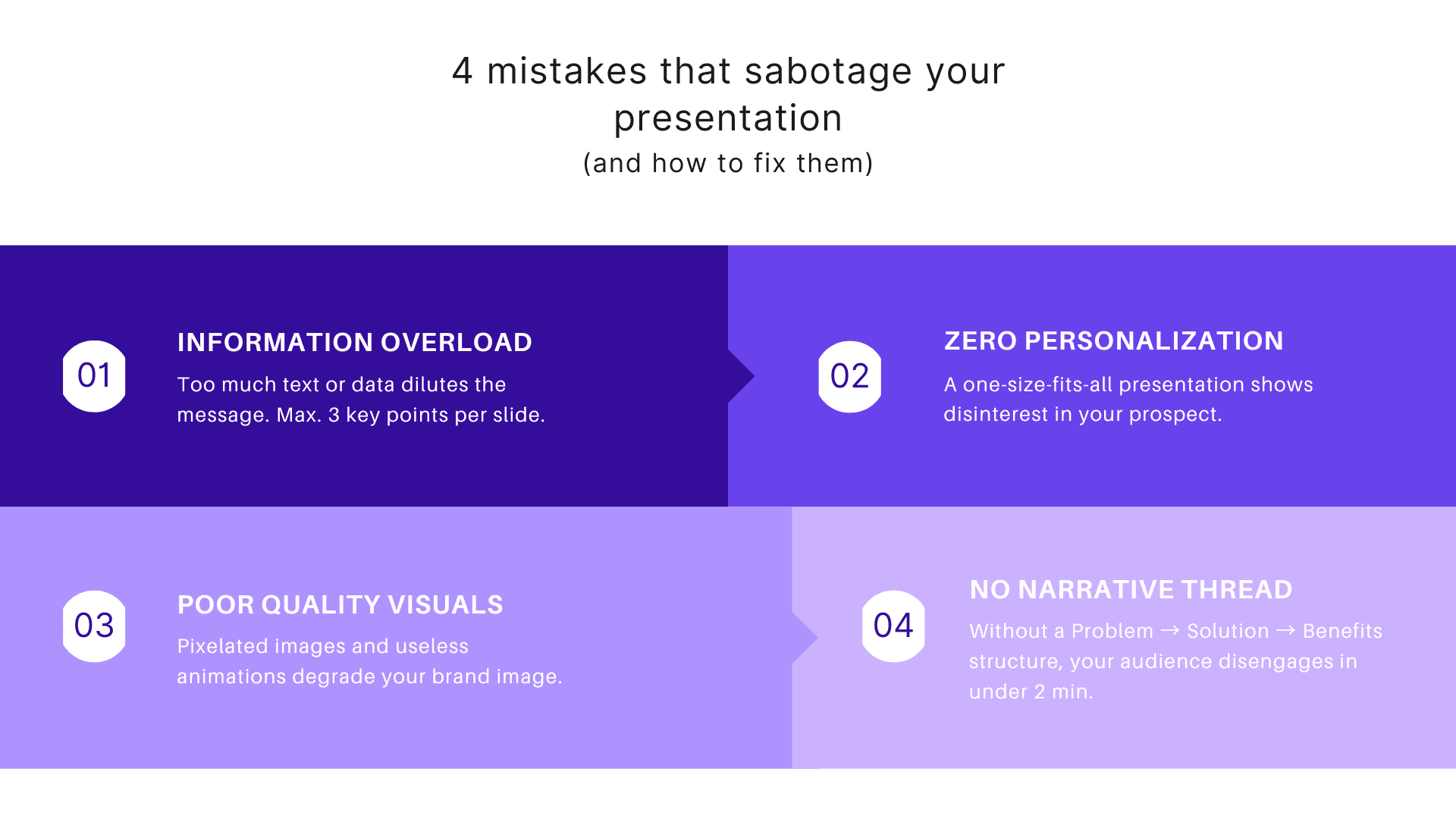
Information overload represents a major trap in commercial presentations. A support cluttered with text or data diverts attention from your essential message. Favor a minimalist approach with maximum three key points per slide.
Lack of personalization seriously hurts your credibility. A standard presentation, identical for all your prospects, shows disinterest in their specific needs. Systematically adapt your content to the industry and challenges of your audience.
Poor quality or poorly sized visuals degrade your brand image. Ban pixelated images, unreadable charts, or superfluous animations. Professional design reinforces the perception of your expertise and your audience's trust.
Mastering different company presentation formats
Creating a professional and impactful PowerPoint
A successful slide starts with an airy layout. Apply the 5/5/5 rule: maximum 5 lines per slide, 5 words per line, and 5 visual elements. This approach ensures smooth reading and optimal memorization of your key messages.
Color choices directly influence your presentation's perception. Opt for a palette of 3 harmonious tints aligned with your visual identity. A speaking example: a consulting firm using navy blue for seriousness, gray for sobriety, and touches of orange to energize its slides.
Graphic elements bring your presentation to life. Focus on modern vector icons, high-definition photos, and clean charts. Avoid complex animations that risk diverting your audience's attention.
Designing an attractive sales brochure
A successful sales brochure relies on a format adapted to your message. A three-fold leaflet perfectly suits presenting your services progressively, while an A5 booklet allows deepening your business expertise.
Information hierarchy naturally guides reading. Start with a compelling hook on the cover, followed by your strengths on interior pages. End with your contact information and a call to action on the last page.
A speaking example: a web agency doubled its conversion rate by adopting an A4 accordion format. The first side presents its striking achievements with photos, the second details its services with client testimonials.
Creating a memorable company presentation video
Creating a professional video starts with captivating storytelling. Favor a three-act structure: present a business challenge, develop your unique solution, then show concrete results obtained.
A maximum duration of 2 minutes guarantees your audience's attention. Focus on your flagship arguments rather than trying to say everything. An accounting firm recently doubled its conversions through a short video focused on three key benefits.
Focus on technical quality: appropriate lighting, professional sound, and dynamic editing. These elements reinforce your professional credibility and differentiate your message. Alternate between close-ups to create emotional connection and wide shots to illustrate your expertise.
Remember to integrate subtitles: 85% of professional videos are watched without sound on social networks.
Writing a convincing presentation email
The strength of a presentation email lies in its personalization. Start with thorough research on your recipient to adapt your message to their specific needs. A salesperson who mentions recent news from the targeted company increases their response chances by 35%.
The winning format follows a clear structure: a compelling hook related to the prospect's industry, followed by your unique value proposition. Rather than listing your services, focus on concrete benefits for your contact.
Professional signature reinforces your credibility: name, position, direct contact information, and links to your relevant networks. A clear call to action concludes your message: propose a specific date for an exchange rather than a vague meeting suggestion.
Essential tools for your company presentation
Free PowerPoint and Canva templates
Creation platforms provide a variety of professional templates adapted to each industry. A consulting firm will favor clean designs with blue tones, while a creative agency will opt for dynamic layouts with bright colors.
Selecting the right template relies on three essential criteria:
- Component flexibility: reorganizable modules according to your needs
- Visual harmony with your brand identity
- Relevance of predefined sections for your message
Current free templates integrate advanced features like smart transitions or animated charts. These elements energize your presentation without overloading content.
Slideshow creation software
Modern slideshow solutions revolutionize company presentations. Zoho Show stands out through its native integration with collaborative tools like Teams, facilitating remote teamwork. A tech startup recently tripled its conversion rate through its interactive presentations.
Adobe Express transforms visual storytelling with its integrated artificial intelligence. The platform analyzes your content and automatically suggests impactful layouts. A consulting firm uses this function to create personalized supports in minutes.
New versions of Google Slides now allow integrating live polls and Q&As, making your presentations more engaging. This dynamic approach reinforces memorization of your key messages.
Professional video editing solutions
New generation editing tools simplify creating impactful company videos. Adobe Premiere Pro excels in advanced post-production with its intuitive interface and artificial intelligence features to optimize workflow.
DaVinci Resolve revolutionizes color grading in 2026. An architecture firm recently attracted new partners through architectural renderings enhanced by its professional chromatic correction tools.
CapCut Pro offers a refreshing approach to quick editing. Its automatic subtitling technology and dynamic transitions allow marketing teams to produce engaging content in record time. Smart transitions automatically adapt to your narration's rhythm, reinforcing your message's impact.
Adapting your company presentation according to context
For an internship report or thesis
The adapted company presentation constitutes a determining step in your internship report. Start by synthesizing key elements: industry, size, market positioning, and organizational structure.
Favor an analytical approach by highlighting your department's specific activity area. A simple chart illustrating the organizational chart or revenue figures will make your presentation more dynamic.
Highlight collaboration opportunities encountered during your internship. A digital marketing student recently scored points by analyzing the strategy of new clients from their host company.
Your presentation must remain factual: avoid value judgments or non-constructive criticism that could compromise your future professional relationships.
For a sales meeting
Oral presentation during a sales meeting requires meticulous preparation. Structure your intervention around concrete results: sales figures, conversion rates, customer satisfaction. An experienced salesperson recently energized their monthly meeting by presenting a detailed client case rather than a list of numbers.
Maximize your audience's engagement with targeted questions. For example: "What approach do you use when facing price objections?" This technique transforms a monologue into constructive exchange.
Create impactful visual supports that reinforce your key messages. A simple chart comparing before/after performance following a sales action will have more impact than a succession of text slides.
For a professional event
Success of a presentation during a professional event requires perfect timing mastery. A short, dynamic 10-minute format captures attention better than a long 30-minute presentation.
The often noisy environment of trade shows and conferences requires a striking visual approach. Opt for minimalist slides with impactful keywords and large-format visuals that remain readable even from a distance.
Authentic storytelling transforms your presentation into a memorable moment. A Parisian startup recently left its mark at a trade show by sharing its entrepreneurial journey through three emblematic photos rather than a succession of numbers.
Anticipate frequent questions by preparing bonus slides. This technique demonstrates your expertise while maintaining a concise main presentation.
Key elements of a successful company presentation
Effective narrative structure
Impactful narration revolves around three key moments in your company presentation. The initial hook sets the scene and identifies a major market challenge. Development demonstrates how your solution transforms this challenge into concrete opportunity.
Resolution highlights tangible benefits for your business partners. A sales manager recently doubled their conversion rate by structuring their pitch around a typical client's journey.
Adopt a dynamic narrative schema:
- Exposition: context and current stakes
- Conflict: obstacles and challenges encountered
- Resolution: results and perspectives
This narrative approach reinforces memorization of your essential messages while maintaining your audience's attention.
Optimal text-visual balance
The 60-40 rule optimizes your slides' impact: 60% visual elements for 40% text. This proportion guarantees better message memorization while maintaining your audience's attention.
A marketing director recently transformed their sales presentation by limiting each slide to 25 words maximum, compensated by impactful charts and professional photos.
To maximize readability, adopt a minimum contrast ratio of 4.5:1 between your text and background. Favor sans-serif fonts like Arial or Helvetica for body text, reserving decorative fonts for titles only.
Visual breathing zones, these strategically placed empty spaces, allow the eye to naturally rest on your priority messages.
Relevant data points
Strategic selection of quantitative data determines your argument's strength. A performing sales dashboard focuses on 3-4 key indicators: customer satisfaction rate, return on investment, and revenue evolution.
A sales manager energized her presentation by creating a striking parallel: for each statistic, she associated a concrete client example. This technique brings raw numbers to life.
Studies demonstrate that the brain memorizes 20% of isolated numerical data versus 80% when they fit into a client story. The key lies in contextualization: each statistic must serve your demonstration and respond to your audience's specific stakes.
Company presentation: drawing inspiration from best practices
Analysis of large companies' presentations
Market leaders excel in the art of effective company presentation. Microsoft revolutionized its supports by adopting the "5x5" method: maximum 5 words per line and 5 lines per slide. A minimalist approach that significantly boosted their commercial impact.
L'Oréal's strategy deserves our attention: their presentations systematically integrate client case studies in the form of 30-second mini-reports. This technique transforms raw data into memorable stories.
Tesla left its mark during its last product launch by using only impactful visual comparisons, without any superfluous text. A masterful demonstration that a strong visual first impression often surpasses a long technical speech.
Innovative startup techniques
French startups redefine company presentation codes with avant-garde techniques. The "pitch canvas" method structures the message into 9 strategic zones: problem, solution, target market, unique value proposition, competitive advantage, business model, key metrics, channels, and resources.
A remarkable approach consists of integrating live product demonstrations into presentations. This technique transforms a classic presentation into a memorable interactive experience.
Startups also favor the "problem-solution-impact" format in 3 minutes maximum. This time constraint pushes toward excellence in message synthesis and maintains audience attention.
Data-driven storytelling reinforces credibility: each statement relies on concrete data, presented as minimalist visualizations.
Current trends in company presentation
Augmented reality revolutionizes professional presentations. Speakers integrate manipulable 3D holograms live, transforming a simple product demonstration into a memorable interactive experience.
Microlearning format gains ground: presentations break down into sequences of 3 minutes maximum, each centered on a unique message. This approach responds to new learning modes and maintains audience engagement.
Presentations adopt an eco-responsible dimension with zero-paper digital supports and low-consumption animations. A movement driven by stakeholders' growing expectations regarding sustainability.
Real-time collaboration now allows participants to contribute directly to content via their smartphones, creating unprecedented participatory dynamics.
Optimizing your company presentation's impact
Effective storytelling techniques
The emotional contrast method transforms a classic presentation into a memorable story. A sales director captivated their audience by starting with a failure situation, before revealing their innovative solution. This technique doubled their conversion rate.
Winning presentations rely on the hero's journey structure. Start by exposing a concrete business challenge, present obstacles encountered, then reveal positive transformation. This narration creates authentic connection with your audience.
A marketing manager left her mark by using flash-forward technique: she projected her audience into the future, demonstrating her solution's concrete impact on their professional daily life. Her project received immediate validation from the management committee.
The art of the 5-minute pitch
Preparing a 5-minute pitch requires millimeter-precise structure. Distribute your time into three sequences: 90 seconds to expose the problem and your unique solution, 2 minutes to demonstrate your added value and entrepreneurial project, 90 seconds to conclude on your long-term objectives.
Focus on impactful numbers: limit yourself to 3 key data points that illustrate your market and growth potential. An experienced sales director recommends the "3-2-1" rule: 3 competitive advantages, 2 client cases, 1 financial projection.
Your visual support shouldn't exceed 7 slides. Favor impactful visuals: a market study chart, a screenshot of your solution, a development timeline. This structured approach maximizes your chances of securing a positive purchase decision.
Time and pace management
Mastering a presentation's pace requires meticulous preparation. A timed exercise allows identifying your strong passages and adjusting each sequence's duration.
Adapt your natural cadence to key moments: slow down on data points, accelerate on transitions. Observe your audience's signals: head nods, note-taking, looks. These clues guide your intervention's tempo.
Perfect dynamics alternate short 2-3 minute sequences and strategic 10-15 second pauses. A seasoned salesperson systematically marks a pause after each product demonstration, maximizing their message's impact.
Measuring your company presentation's success
Key performance indicators
Measuring presentation success relies on quantifiable metrics. Audience engagement rate constitutes a first revealing indicator: number of questions asked, average sustained attention duration, participation level in interactive exercises.
Non-verbal reaction analysis provides complementary insight: approving head nods, active note-taking, positive body language. An experienced marketing manager uses an evaluation grid rating these signals on a 1 to 5 scale.
Post-presentation conversion rate represents the ultimate indicator: percentage of prospects transformed into clients, number of follow-up requests, signatures obtained within 48 hours. A technology company doubled its results by systematically measuring these KPIs to optimize each new intervention.
Feedback analysis
Systematic post-presentation feedback collection requires structured methodology. Create a standardized evaluation grid covering verbal and non-verbal aspects: visual support quality, message clarity, question response relevance.
Favor anonymous questionnaires to obtain authentic feedback. A digital form sent within 24 hours maximizes response rate and memory accuracy.
Classify remarks by themes: content, format, delivery. This categorization facilitates identifying priority improvement areas. Also document spontaneous reactions during presentation: moments of increased attention, passages generating questions.
Feedback's power lies in its transformation into concrete action. Establish an optimization plan with precise objectives for each future presentation.
Post-presentation adjustments
Transforming feedback into concrete actions requires a pragmatic approach. Start by prioritizing modifications according to their potential impact on your future presentations. A seasoned salesperson recommends recording each intervention to analyze gestures and speech rate.
Create a dynamic library of your best slides and arguments. This base enriches through successful presentations, allowing quick optimization of your future supports. Test different narrative sequences with supportive colleagues before refining your approach.
An annotation system directly on your supports facilitates continuous presentation updates. Note positive reactions, dropout moments, and recurring questions to refine your message.
Frequently asked questions
What's the main rule for an effective presentation visual support (like a PowerPoint slide)?
Clarity and conciseness. Favor little text per slide (e.g., the 5 lines / 5 words rule) and high-quality visuals that support your message.
How can you make a company presentation more engaging and less monotonous for the audience?
By using storytelling, asking questions to the audience, varying your voice pace, and personalizing content to the audience's specific needs.
What tools are recommended for creating a modern and professional company presentation?
Software like PowerPoint or Google Slides for slideshows, Canva for quick designs, and tools like Adobe Premiere Pro or CapCut for video presentations.